Agents at work
Live activity of the worktrees your agents work in: files changing now, time since the last change, and a ping when one commits, pushes or goes quiet.

Adar + AI agents
Claude, Copilot, Codex or Cursor can write most of a change now. Deciding whether it is right is still yours. Adar is where you see what they did, review it, and keep up while they keep going.
The loop
The same loop whether one agent is fixing a bug or three are building a feature each.
Give each agent its own folder and branch, so none steps on another’s files. Make them in Adar or let your agent tool do it: each opens as a tab in the project’s group, side by side.
New Worktree…Every tab shows its branch growing and its uncommitted changes as a live node. Background fetch brings in what they push, and the commits an agent co-wrote carry its name from their Co-Authored-By line.
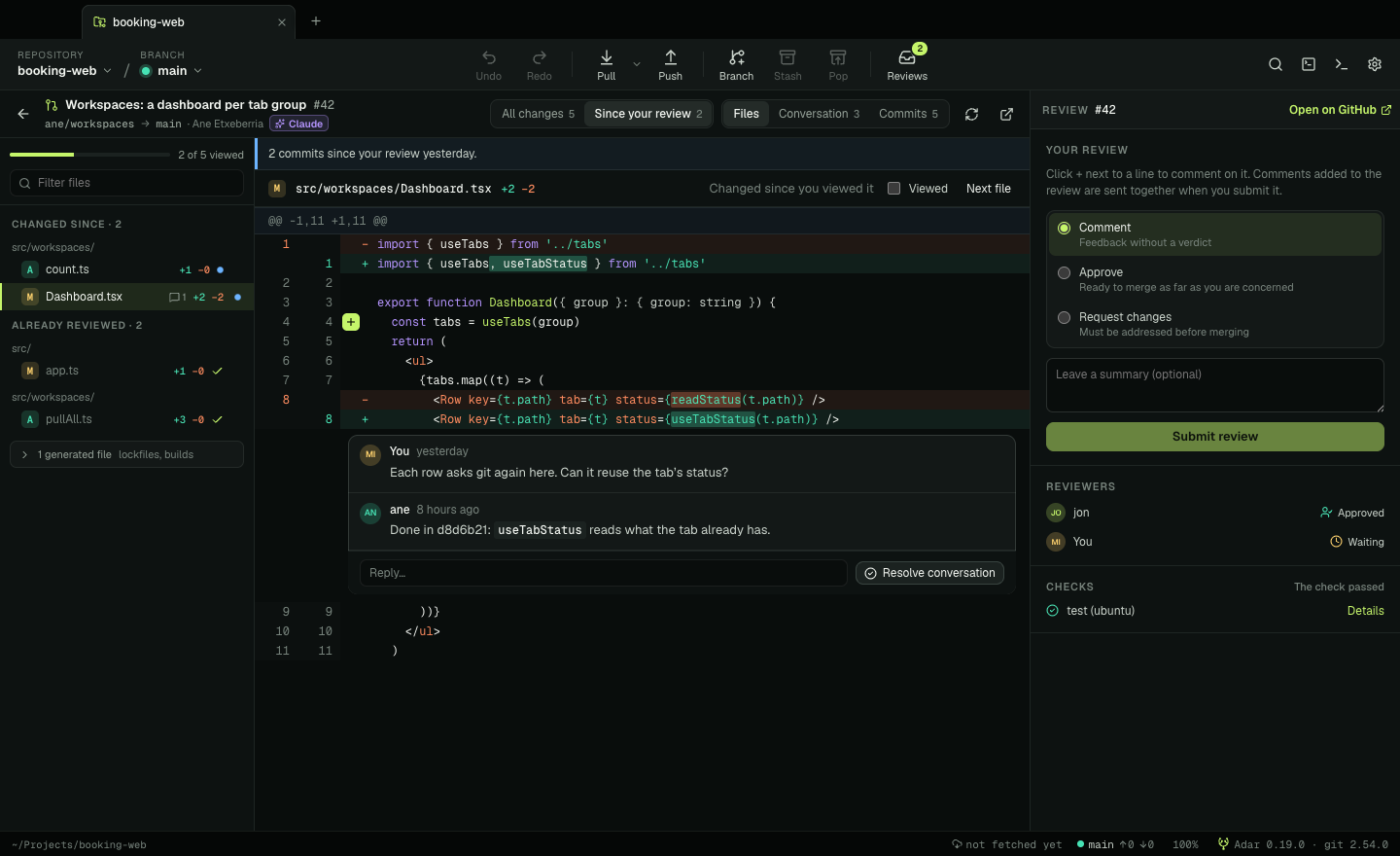
When an agent opens a pull request, review it in Adar: the files with GitHub’s Viewed marks, lockfiles folded away, comment threads on their lines. Comment, suggest a change, request changes. The agent reads your review where it always does, on GitHub.
Review changesSecond round? Since your review shows just the commits pushed after it, and says when the branch was rebased with the same changes or only had main merged in. No rereading a whole pull request to find the two lines that moved.
Since your reviewReviews lists the pull requests waiting for you, the ones you follow and yours, across every open repository. A blue dot marks what changed since you looked, and a notification tells you while you’re doing something else.
Reviews ⇧⌘RMerge from Adar and the branch and its worktree go in one step. If an agent reset or force-pushed what it shouldn’t have, Adar finds the lost commits in the reflog, and Undo takes back the last git action.
Recover Lost Commits…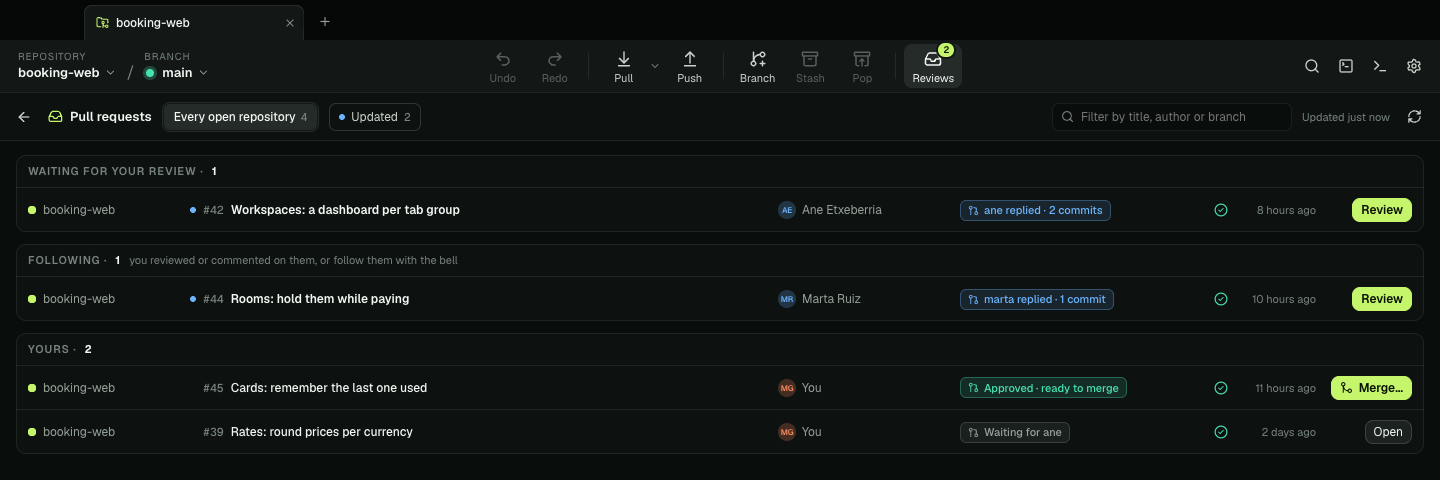
Adar drives the git already on your machine, with the credentials you already use. It has no account, no servers and no telemetry, and talks to GitHub, GitLab, Bitbucket or Azure DevOps only when you turn pull requests on.
Growing next
Live activity of the worktrees your agents work in: files changing now, time since the last change, and a ping when one commits, pushes or goes quiet.
A mark on every commit an agent co-wrote, with a human / AI filter.
The old and the new version of a branch an agent rewrote, side by side, and what a merge’s conflict resolution changed.
Reviewing on GitLab, Bitbucket and Azure DevOps too, as on GitHub today.
Free, open source, and on the git you already have.
